
OneListing — UI/UX Design for a WordPress Directory Website
- Industry
- Business Directory
- Service Category
- Website Design
- Scope of Work
- Product ResearchUX StrategyInformation ArchitectureUser FlowWireframingUI/UX Design
OneListing is a premium WordPress theme built on the Directorist plugin, designed to help businesses launch directory and listing websites for restaurants, real estate, cars, hotels, and more.
About the Project
OneListing is a premium WordPress theme built on the Directorist plugin, designed to help businesses launch directory and listing websites for restaurants, real estate, cars, hotels, and more.
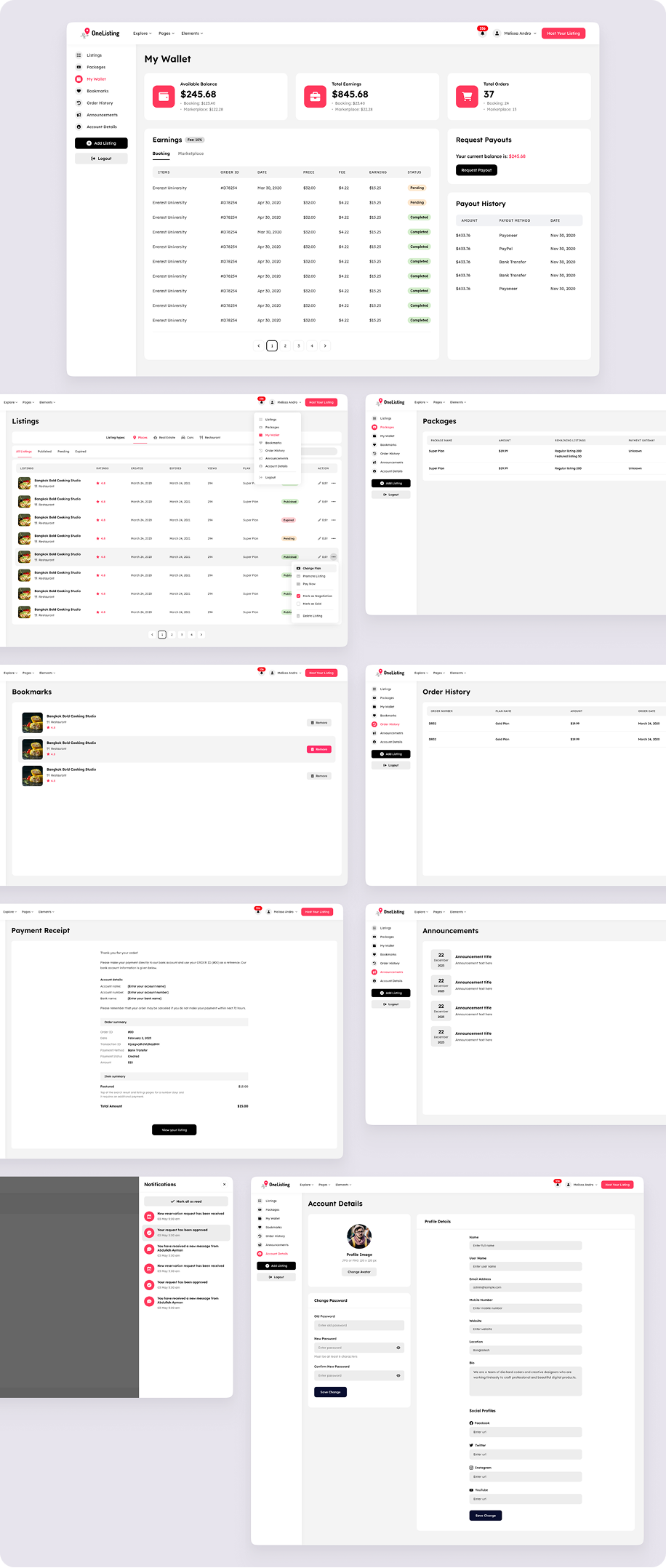
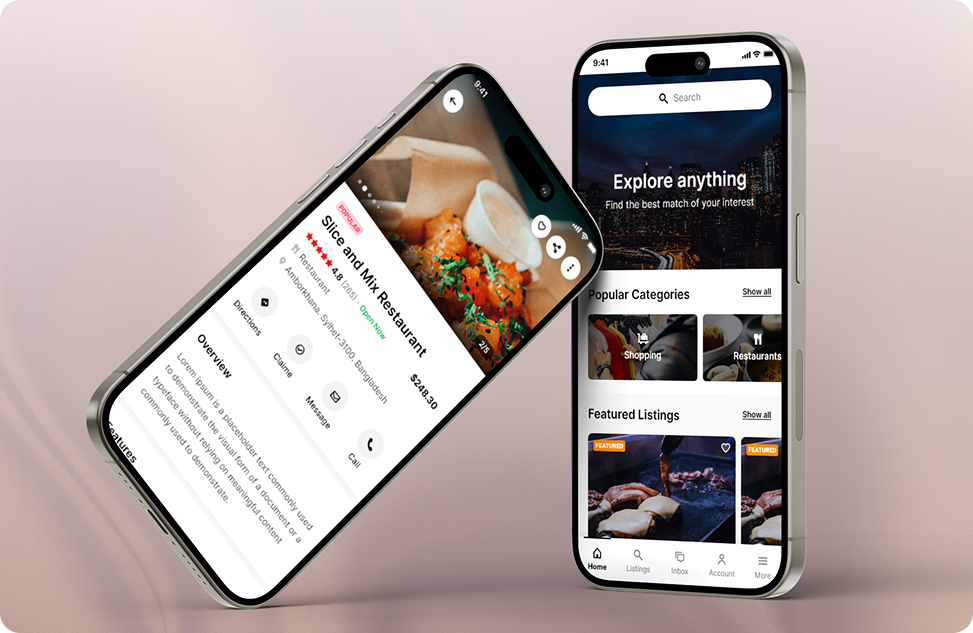
We designed the complete experience from scratch, covering both sides of a directory: the visitor-facing website (home, listings, map view, single listing, pricing) and the listing owner’s workspace (multi-step add listing flow and frontend dashboard).
The final design focuses on fast discovery for visitors, a simple submission and management flow for owners, and a flexible system that adapts to any directory niche.
Problems
Directory websites often struggle to serve two very different audiences at once: people searching for places, and owners who want to list and manage them.
- Search and filtering felt overwhelming on listing-heavy pages
- Listing cards and single pages didn’t build enough trust for visitors to take action
- Adding a listing was long and confusing, which led owners to drop off
- Owners had no single place to manage listings, packages, earnings, and orders
- Most directory themes looked generic and couldn’t adapt to different niches
Challenges
Designing a theme meant creating one system flexible enough for many directory types, without losing clarity or personality.
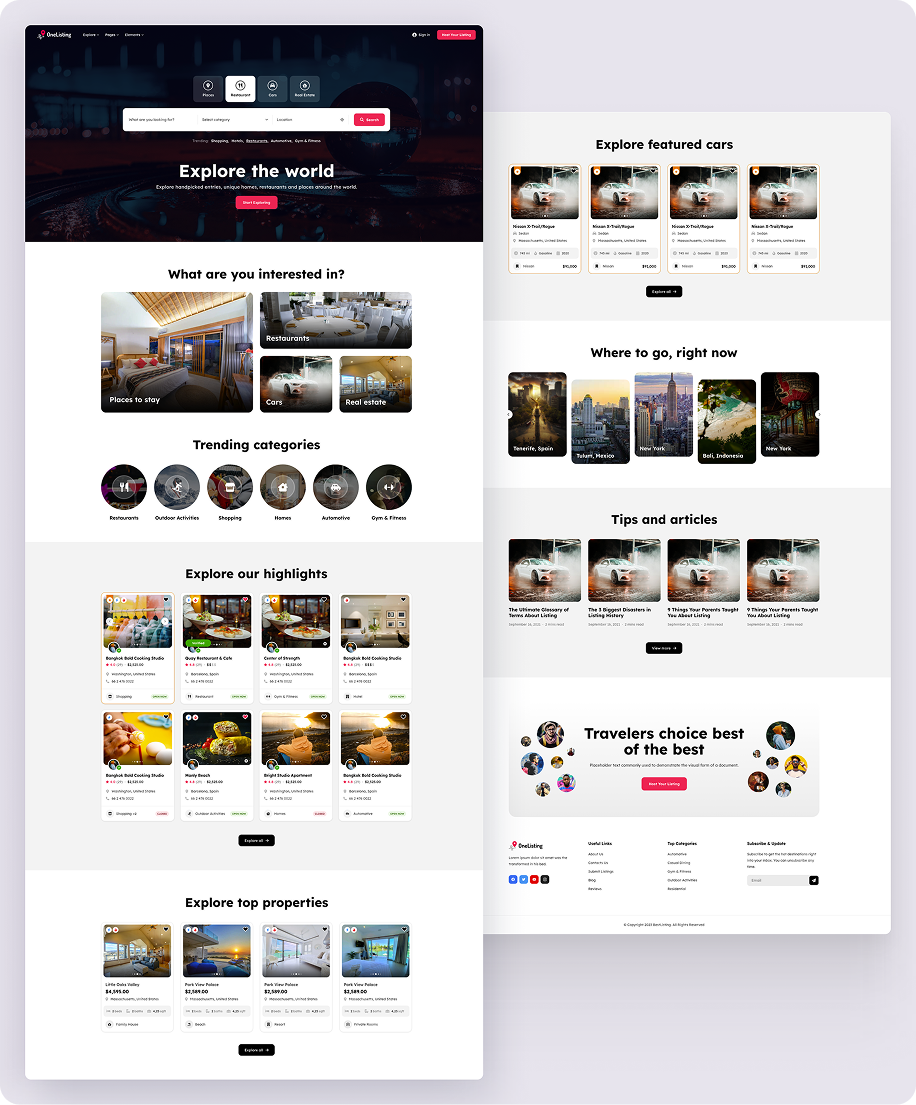
- Designing a home page that works equally well for restaurants, cars, real estate, and travel
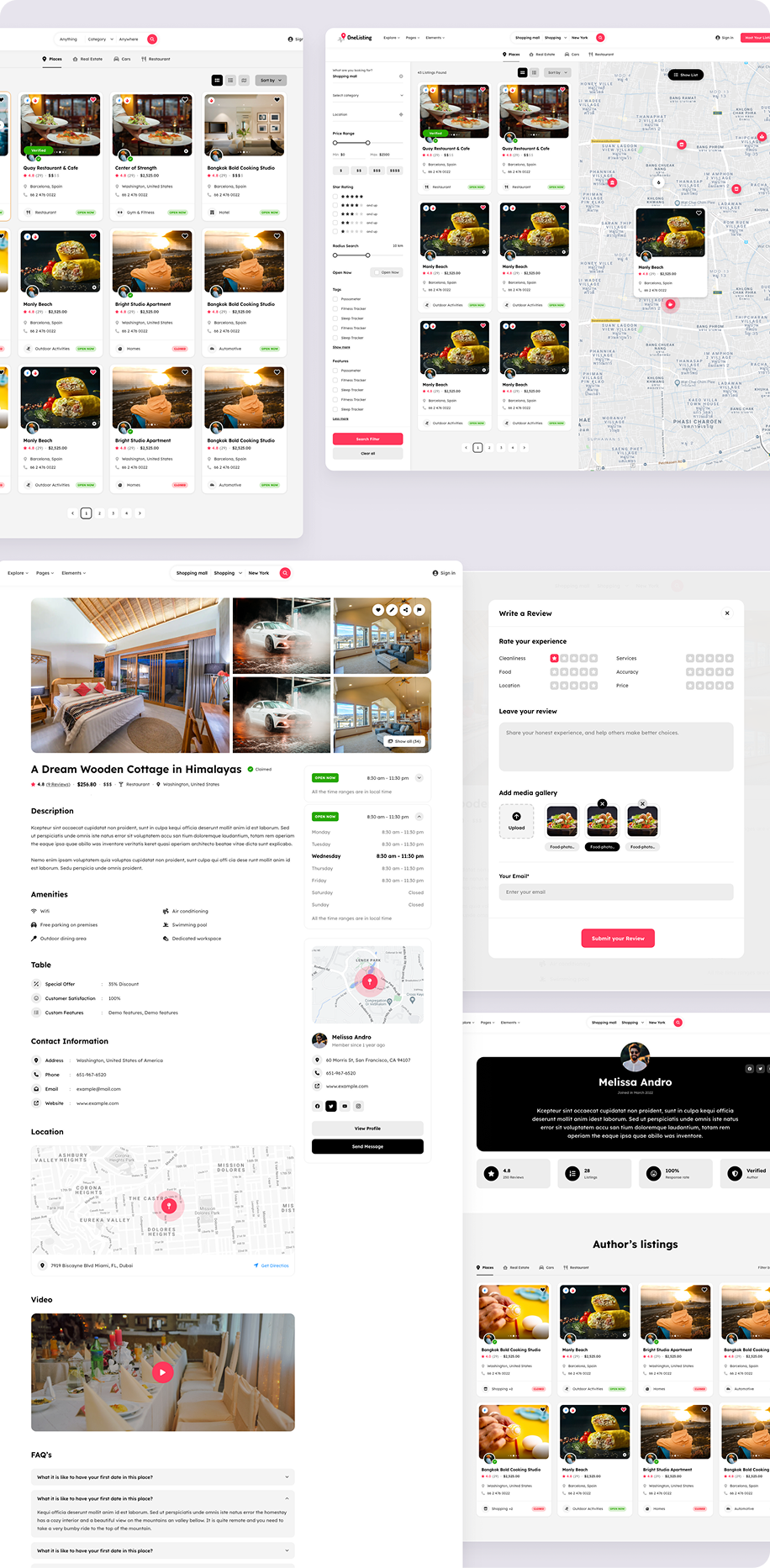
- Balancing advanced search filters with a clean, scannable listings layout
- Combining grid and map views without overwhelming users
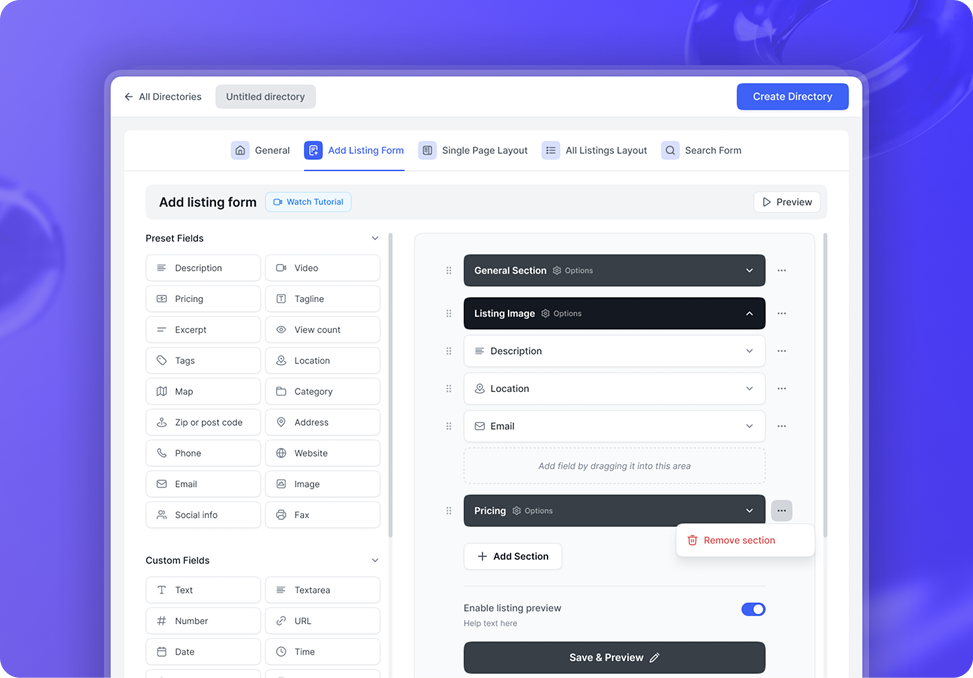
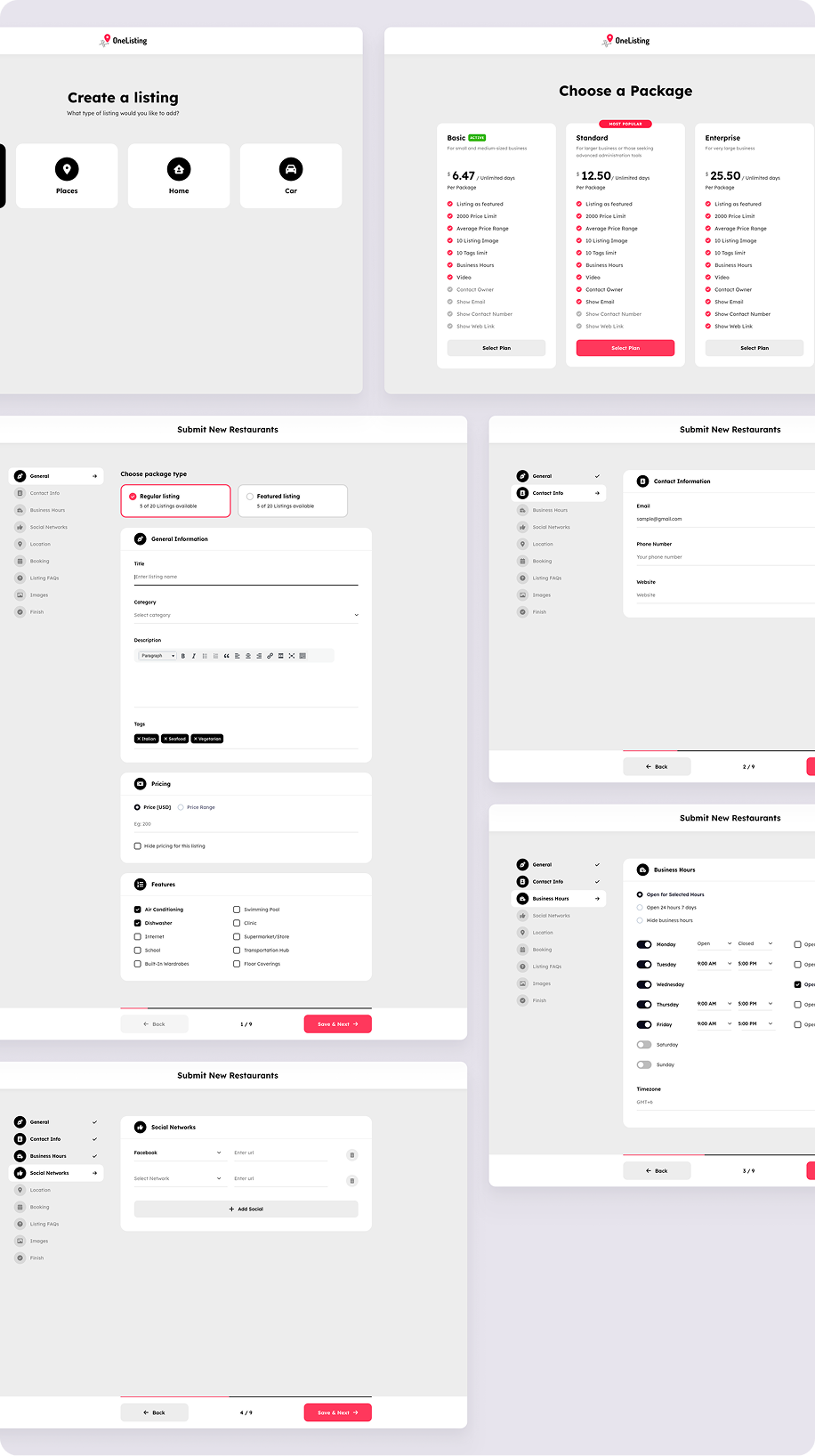
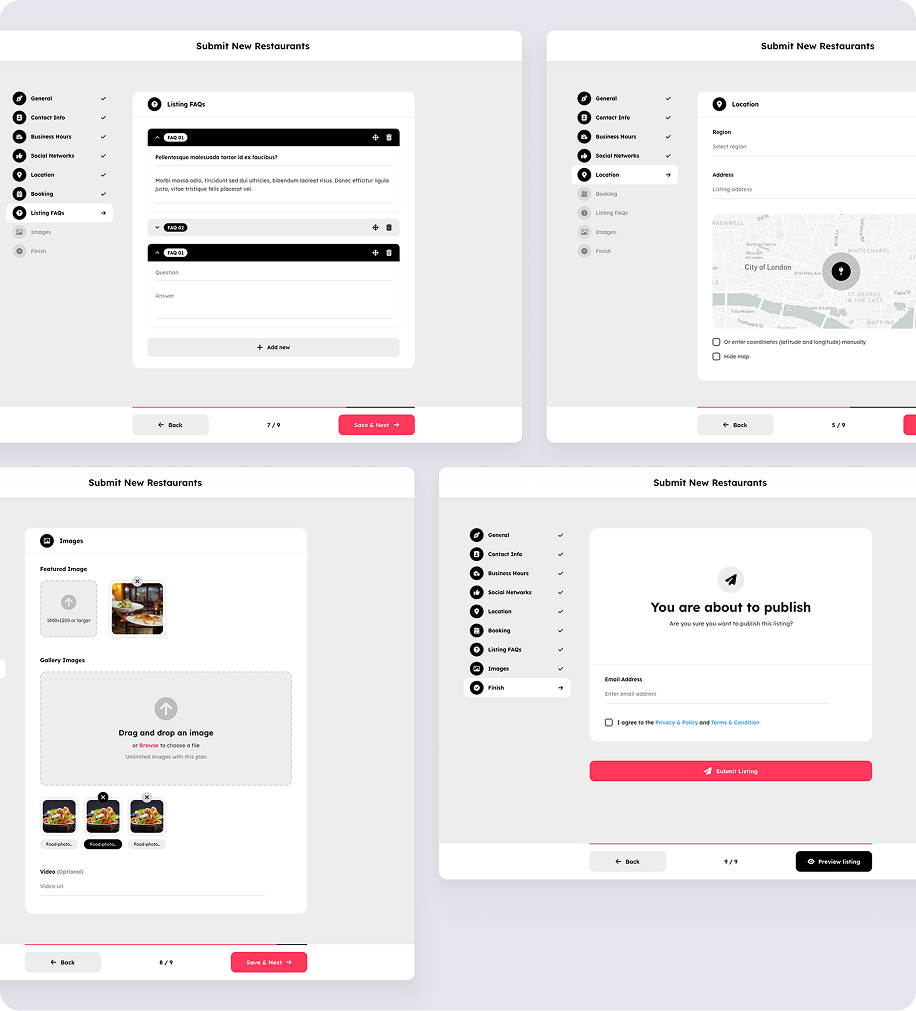
- Breaking a long listing submission form into a clear, low-effort flow
- Presenting packages, earnings, bookings, and payouts clearly inside the owner dashboard
Solutions
To solve these problems, we designed a flexible, discovery-first system that serves visitors and listing owners equally well.
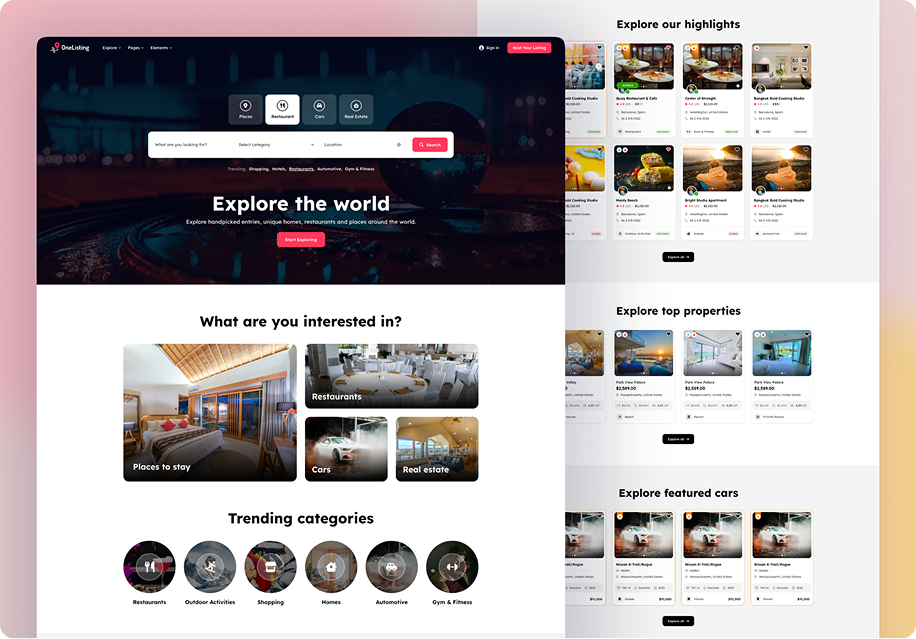
- Category-led home page with a tabbed search bar, trending categories, featured listings, and curated content, so visitors start exploring right away
- Listings with grid and map views with a filter sidebar for price, rating, radius, tags, and features
- Trust-focused single listing page with a photo gallery, business hours, amenities, reviews, FAQs, and a clear owner contact section
- Pricing and package selection that clearly compares plans before an owner submits a listing
- 9-step add listing flow with a progress sidebar and Save & Next controls, which turns a long form into small, manageable steps
- Owner dashboard covering listings, packages, wallet and payouts, bookmarks, order history, announcements, and notifications
The Final Result
Through research-led design and a flexible component system, OneListing is now a complete directory theme that works for both visitors and listing owners.
- Visitors can search, filter, compare, and book listings in a few clicks
- Owners can create a listing step by step and manage everything from one dashboard
- The theme adapts easily to restaurants, real estate, cars, hotels, and other directory niches
- The design supports monetization through paid listings, featured listings, and subscription packages
Overall, OneListing shows how thoughtful UI/UX design can turn a complex, multi-sided directory platform into a clear, flexible, and conversion-friendly experience for everyone using it.
Home Page
Listings Pages
Add Listing Form
Listings Management Dashboard